All Posts
10 min
read
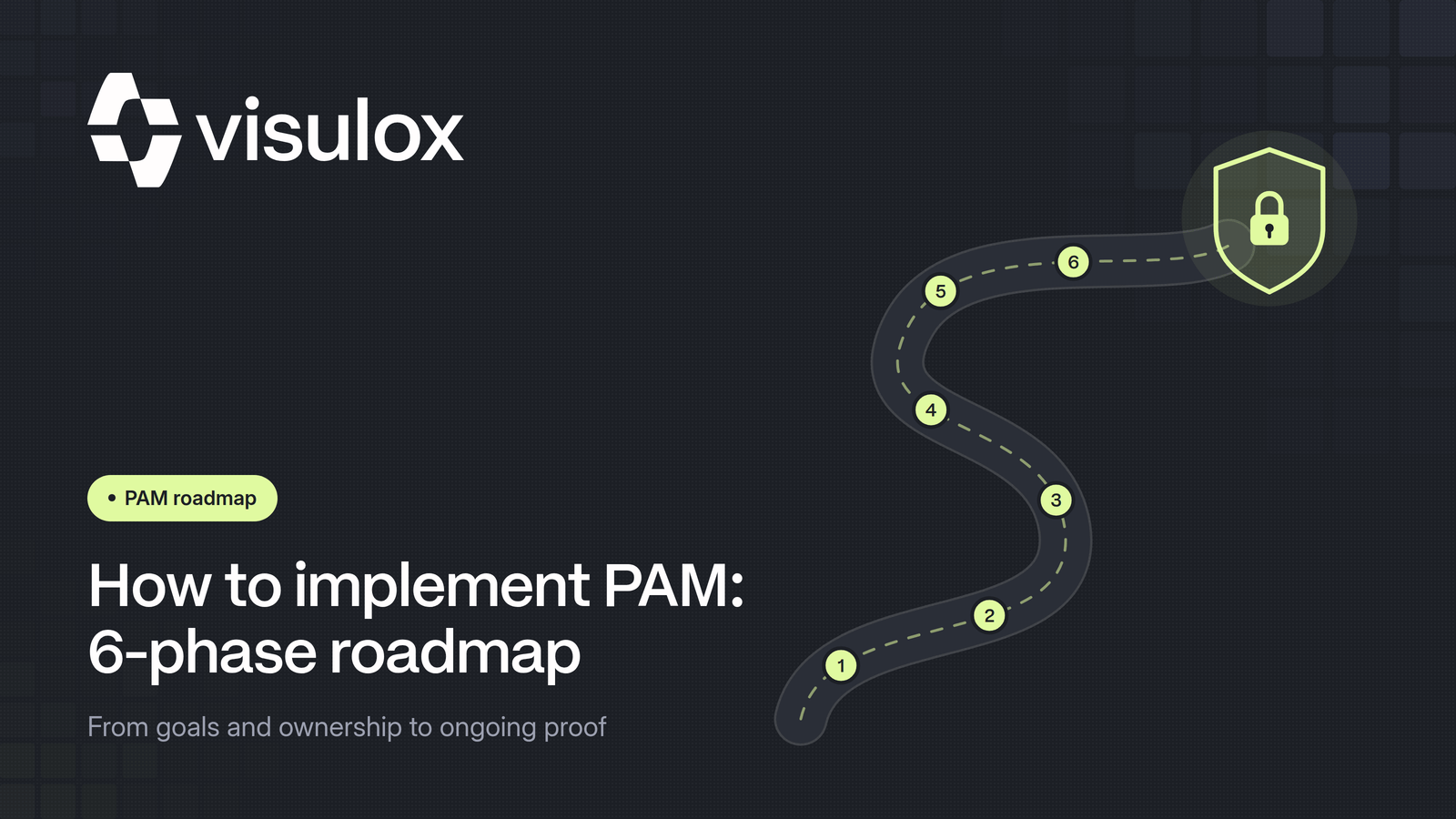
How to Implement PAM: A 6-Phase Roadmap
Most PAM projects don't fail on technology, they fail on sequencing. This roadmap shows how to implement privileged access management in six phases and get results fast.

Published
23 Oct 2026
Aktualisiert
26 Oct 2026
Introduction
The decision has been made: the organization needs privileged access management. The trigger is almost always the same. NIS2 demands provable access control, the cyber insurer is asking about admin rights, or an audit revealed that nobody knows exactly who accesses which systems with which privileges. The question is no longer whether, but how.
This is where many projects stall. A PAM solution is quickly bought, but without a clear roadmap it ends up as expensive shelfware covering only a fraction of privileged accounts. This roadmap describes how to implement PAM in six phases, which mistakes to avoid and how to tell that the project is working. If you want a refresher on the basics first, read our guide: What is privileged access management?.
Key Takeaways
- PAM projects rarely fail on technology. They fail on missing discovery, missing prioritization and big-bang rollouts.
- According to the Verizon DBIR 2025, credential abuse is the most common initial access vector at 22 percent, and third-party involvement in breaches has doubled to 30 percent.
- Start with a complete discovery of all privileged accounts, including service accounts, break-glass accounts and external vendors.
- External access and critical systems come first, because they carry the highest risk and deliver visible wins quickly.
- A PAM project doesn't end at go-live. Recordings, privileges and metrics need regular review, or the system loses its effect.
Why PAM projects so often stall
Privileged access is the most valuable target for attackers. The Verizon Data Breach Investigations Report 2025 names credential abuse as the most common initial attack vector at 22 percent. At the same time, the share of breaches involving a third party has doubled to 30 percent. Leaving privileged access uncontrolled means leaving open exactly the door attackers use most.
Even so, many PAM implementations stop halfway. The patterns are familiar:
- A tool is bought, but no programme is set up. Nobody owns it, and there are no goals and no metrics.
- Scope is based on the accounts you already know rather than real discovery. The unknown accounts stay unprotected.
- Everything is switched over at once. Admins get locked out, and blanket exceptions follow.
- After go-live, nobody looks at recordings or alerts. The system runs, but barely protects.
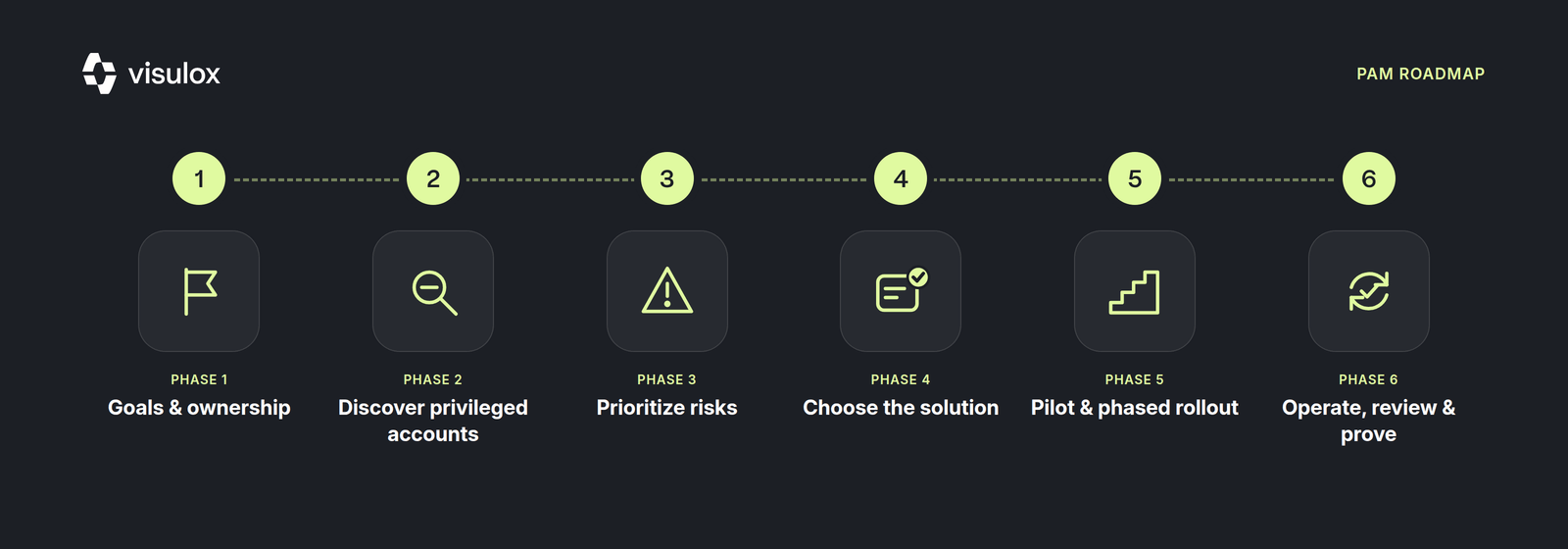
The six phases below are designed to avoid each of these traps.
Phase 1: Define goals, scope and ownership
The starting point is not product selection, but a clear answer to what PAM should achieve. Typical goals are meeting regulatory requirements such as NIS2, ISO 27001 or critical infrastructure rules, securing external vendors, removing standing admin rights, or providing solid evidence to auditors and insurers. If you are still sorting out your obligations, the NIS2 checklist for SMEs is a good starting point.
Ownership matters just as much. A PAM project needs a named owner, ideally from IT security, and an executive sponsor. Without that backing, the project loses its authority the moment administrators are asked to give up their familiar access. Also define how IAM and PAM work together. Everyone involved should understand the difference between IAM and PAM before responsibilities are assigned.
Phase 2: Discover every privileged account
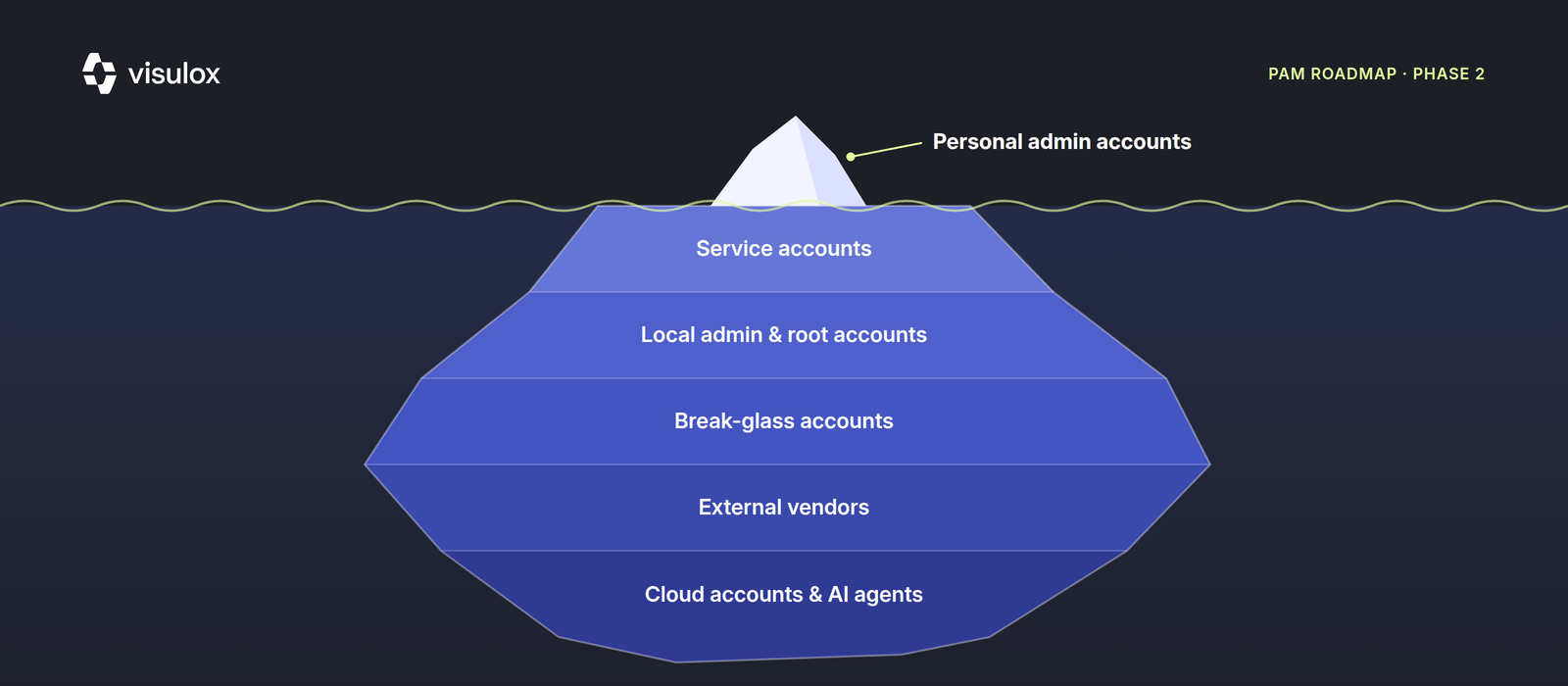
Discovery is the phase most often cut short, and the one that backfires most. Almost every organization has far more privileged accounts than IT can name off the top of its head. A complete discovery covers at least these categories:
- Personal admin accounts in Active Directory, on servers, databases and network devices
- Local administrator and root accounts, often with the same password on many systems
- Service accounts and technical accounts used by applications, scripts and interfaces
- Emergency and break-glass accounts, rarely used and almost never monitored
- Access for external vendors, manufacturers and maintenance firms, including OT remote maintenance
- Cloud accounts with broad rights and, increasingly, AI agents and machine identities
For each account, record who owns it, which systems it reaches, how it authenticates and when it was last used. Orphaned and over-privileged accounts surface almost automatically. Third-party access deserves particular attention, as our article on securing third-party vendor access shows. If you already run AI agents in production, capture their privileges too. Our article on AI-native privileged access with MCP shows what that looks like.
Phase 3: Prioritize risks and plan quick wins
With the inventory in hand comes the most important decision: the order. Not every account is equally critical. Score each group on two questions. How big would the damage be if it were misused? And how easily could an attacker get hold of it?
In practice, three areas almost always end up at the top:
- External vendors with remote access, because they work outside your control and often sit directly on the network via VPN
- Domain admins and access to systems whose failure stops operations
- Direct protocol access such as RDP, SSH and VNC reachable from the internet or broad network segments
These areas deliver the fastest visible wins. Once the first vendor maintenance session runs only through a central gateway and is fully recorded, everyone in the company understands what PAM does. How to consolidate scattered protocol access is covered in replacing RDP, SSH and VNC with one central gateway.
Phase 4: Define requirements and choose the right solution
Only now is it worth looking at the market, because only now do you know what the solution has to do. Derive requirements directly from discovery and prioritization instead of comparing vendor feature lists. The key criteria:
- Session recording and tamper-proof logging that actually hold up in an audit
- Secure vendor access without VPN and without software on the vendor's machines
- Just-in-time approvals and workflows instead of standing privileges
- Operating model: on-premises, private cloud or SaaS, with data sovereignty in mind
- Implementation effort, for example whether agents are needed on target systems
- Licensing model and total cost over several years
For a detailed market overview, see our comparison of the best PAM software in 2026. In regulated environments, the 7 criteria for a sovereign PAM solution are worth a look, and if you want to compare costs properly, read the 6 PAM licensing criteria. Before deciding, run a proof of concept with real target systems and at least one external vendor.
Phase 5: Pilot and phased rollout
A big-bang rollout is the surest way to turn administrators against the project. A ring-based approach works better. Start with a pilot covering a few critical systems and a group that is open to the project. Collect feedback, adjust approval workflows, then expand step by step.
This order has proven itself:
- Move external vendors onto the central gateway and switch off direct VPN access
- Connect critical servers and domain admins, and record sessions
- Vault privileged account passwords centrally and rotate them regularly
- Replace standing privileges with just-in-time access
- Bring service accounts, cloud accounts and machine identities on board
The end goal is that nobody holds permanent admin rights. Our article on zero standing privileges explains what that looks like in practice. The idea behind it is the principle of least privilege. Don't forget emergency access: a documented break-glass process ensures nobody is locked out of critical systems if the PAM platform itself is unavailable.
Communication decides acceptance in this phase. Explain to administrators that PAM is not a sign of mistrust but protects them: a complete recording also proves what they did not do.
Phase 6: Operate, review and prove
Go-live is where the real work begins. A PAM system whose recordings nobody watches and whose privileges are never reviewed quickly loses its effect. Build in fixed routines:
- Regular recertification of privileged rights, for example quarterly
- Spot checks of recorded sessions, especially for external access
- Automatic alerts for unusual actions or access outside approved time windows
- Onboarding of new systems and accounts into the PAM process before they go live
These routines are also the basis of every audit. When auditors ask who accessed which system and when, the answer should be a report, not a project. See how VISULOX handles this on the page on audit-proof accountability. For compliance owners, we have mapped NIS2, ISO 27001 and BSI requirements on the page PAM for compliance and audit.
Metrics: how to measure success
Without metrics, status reports stay too optimistic. These numbers show honestly where the project stands:
- Share of discovered privileged accounts managed through PAM
- Share of accounts with standing privileges versus just-in-time access
- Number of external vendors still working via VPN or direct access
- Share of privileged sessions that are recorded
- Time needed to produce audit evidence for a specific access
How long does a PAM implementation take?
The honest answer depends on the solution and the scope. Traditional PAM suites with agents on target systems and heavy integration often take many months to roll out fully. But the first benefit doesn't have to wait that long. With an agentless, browser-based solution, the most critical access, above all external vendors, can be secured within days. Plan the full programme of discovery, rollout and processes realistically over several months.
VISULOX by amitego is built for exactly this fast start: agentless, no VPN, full session recording and on-premises operation. External access is controlled centrally, and integrations connect your existing directory services and security tools. For industrial operators, our article on secure OT remote maintenance under BSI IND.3.2 is also relevant.
Contact
Your Direct Path to Secure Remote Access
Speak directly with a cybersecurity expert.
Conclusion
A successful PAM implementation is not a software purchase but a programme with a clear sequence: set goals, discover every privileged account, prioritize by risk, choose the right solution, roll out in phases and keep reviewing operations. Starting with external vendors and critical systems delivers visible wins fast and builds acceptance for the next steps. If you want to see what this path looks like with VISULOX, book a demo.
Frequently Asked Questions
How long does it take to implement PAM?
It depends on scope and solution. The most critical access, such as external vendors, can be secured within days using an agentless solution. Plan the full programme of discovery, phased rollout, just-in-time access and review processes realistically over several months.
Where should a PAM implementation start?
With a complete discovery of all privileged accounts, including service accounts, break-glass accounts and vendor access. Then switch over the highest-risk areas first. In practice, these are usually external vendors, domain admins and directly reachable RDP or SSH access.
Why do PAM projects fail?
The most common reasons are a tool without a programme or owner, scope based on known accounts instead of real discovery, a big-bang rollout followed by blanket exceptions, and no reviews after go-live. Clear phase planning with measurable metrics prevents these patterns.
Do I need agents on every target system for PAM?
Not necessarily. Some PAM suites require agents, which lengthens the rollout. Gateway-based, agentless solutions such as VISULOX broker and record the session centrally, without installing software on target systems or on external vendors' machines.
Which metrics show that a PAM implementation is working?
Useful metrics are the share of privileged accounts under PAM management, the share of standing privileges versus just-in-time access, the number of external access paths without a gateway, the share of recorded sessions and the time it takes to produce audit evidence.
Table Of Content:
Talk to Our Experts
Speak directly with a VISULOX security expert and find out how to protect your infrastructure.
Share:
Lorem ipsum dolor sit amet, consectetur adipiscing elit. Suspendisse varius enim in eros elementum tristique. Duis cursus, mi quis viverra ornare, eros dolor interdum nulla, ut commodo diam libero vitae erat. Aenean faucibus nibh et justo cursus id rutrum lorem imperdiet. Nunc ut sem vitae risus tristique posuere.
Insights on IT Security and Privileged Access
Expert knowledge, practical tips, and the latest trends in PAM, compliance, and secure remote work — straight from the amitego team.